

- Intro Paragraph
- Headings
- Text Highlights
- Blockquotes
- Panels
- Asides
- Horizontal Rules
- Lists
- Accordions
- Tabbed Content
- Link Buttons
- Columns
- Media & Text
- Images
- Cards
- Tables
This page is a reference for every block and style available in the block editor. Browse the sections below to see what is possible, then recreate what you need on your own pages. Each section includes a short note about when to use the block and, where relevant, the different style variants you can choose from.
Intro Paragraph
Apply the Intro Text style from the Formats dropdown in the toolbar to give an opening sentence or two extra impact. It works well as a tagline or a short prompt for the content that follows. Use it once near the top of a page.
This is the Intro paragraph style. It is larger and lighter than body text, which draws the eye to the opening of the page without needing a heading.
Headings
Headings break a page into sections and help both visitors and search engines understand how the content is organized. Always start at Heading 2, since the page title is already Heading 1, and follow Heading 2 with Heading 3, Heading 3 with Heading 4, and so on. Do not skip levels, and return to Heading 2 when a new top-level section begins.
If a heading needs to look different from its actual level, do not change the level. In the block sidebar, open the Block tab, expand Advanced, and type h1, h2, h3, h4, h5, or h6 in the Additional CSS Class(es) field. For example, a Heading 2 with the class h5 is still a Heading 2 structurally, but looks like a Heading 5 on the page. This preserves accessibility and SEO while giving you visual flexibility. The six examples below are all Heading 3 blocks with different classes applied.
Heading 1 style
Heading 2 style
Heading 3 style
Heading 4 style
Heading 5 style
Heading 6 style
Text Highlights
Highlight short phrases with a colored background to draw the eye. Six options are available: red, green, gold, yellow, blue and purple. Apply one by selecting text and choosing Text Highlights from the Formats dropdown in the toolbar. Use highlights sparingly, since they lose their impact when overused.
The library holds more than eight million volumes, and this phrase is highlighted in red. Reading rooms stay open late through the end of term, while this one is highlighted in green. Study space can be reserved online up to a week ahead, and this one uses the gold highlight. Course reserves are held at the front desk, where this phrase uses the default yellow highlight. Interlibrary loan usually takes three to five days, and this phrase is highlighted in blue. Research consultations are free for all students, and this last phrase is highlighted in purple.
Blockquotes
Blockquotes set off a quoted passage, pull quote, or particularly important statement from the surrounding text. Three styles are available, each with a different level of visual emphasis. Insert a Quote block and apply a style from the Styles panel in the block sidebar.
Standard
The default blockquote style. Use for most quoted material, such as interviews, testimonials, or cited passages.
The work students do here does not stay here. It travels with them, and it changes the places they go.
Impact
Larger and more visually prominent. Reserve this style for a single high-impact pull quote per page, typically a powerful statement you want visitors to notice first.
Every question worth asking takes longer to answer than you expect. That is the point of the work.
Offset
A compact style that aligns to one side and allows body text to flow alongside it. Use for short pull quotes within a longer article, where you want the quote to sit beside related paragraphs rather than break the flow.
We were asked to design something that would still be useful in twenty years.
Applications open in early September and close at the end of the following month. Reviewers read every complete file, and decisions are released on a rolling basis through the winter. Applicants who are not admitted may reapply in a later cycle without penalty.
Panels
A panel wraps a paragraph in a tinted box, which is useful for a note, a warning, or a short callout that should not be missed. Select a paragraph and choose a panel color from the Formats dropdown in the toolbar. Only one panel style can be active on a paragraph at a time.
Default panel. Use this when the content needs to stand apart from the body text but carries no particular urgency or category.
Blue-Green panel. A good choice for supporting detail or a related note.
Blue panel. Commonly used for informational messages and general guidance.
Purple panel. Useful when you need a second accent color alongside blue on the same page.
Gold panel. Works well for a caution or a deadline that readers should notice.
Green panel. Suits confirmations, success messages, and positive outcomes.
Red panel. Reserve this for genuine warnings and content that must not be overlooked.
Asides
The Aside block holds secondary content that supports the main text without interrupting it. Unlike a panel, an aside can float to the left or right so body text wraps around it. Choose a style (Panel or Column), a color, and an alignment in the block sidebar.
Panel style
Applications open in early September and close at the end of the following month. Late submissions are considered only when space remains in the cohort. Reviewers read every complete file, and decisions are released on a rolling basis through the winter. Applicants who are not admitted may reapply in a later cycle without penalty, and many successful candidates apply more than once before being offered a place.
Funding is available to enrolled students in every year of the program. Awards are made on the basis of both need and merit, and the review committee meets twice each term. Students who receive an award are asked to submit a short report at the end of the year describing how the funding was used.
Column style
The Column style drops the tinted background and rule, leaving the content to sit quietly beside the body text.
Office hours are posted outside each department office at the start of term and updated whenever a schedule changes. Students who cannot attend a scheduled time are encouraged to email for an appointment instead, and most faculty respond within two working days.
Horizontal Rules
The Separator block draws a horizontal rule between sections. Sixteen styles are available from the Styles panel in the block sidebar, ranging from plain lines to decorative dividers. The Invisible style adds vertical space without drawing anything, which is useful for separating blocks that would otherwise sit too close together.
Default
Blue-Green
Blue
Purple
Gold
Green
Invisible
There is an invisible separator between this paragraph and the next one, adding space without a visible rule.
This paragraph sits below the invisible separator.
Dotted
Dashed
Double
Heavy
Extra-Heavy
Faded
Flourish
Cornell Icon
Section Break
This is the style used between the major sections of this page.
Lists
Use a bulleted list when the order of the items does not matter, and a numbered list when it does, such as in a set of steps. Nest a list by placing the cursor in an item and pressing Tab.
Bulleted
- Transcripts from every institution attended
- Two letters of recommendation
- A personal statement, with nested detail below
- No more than two pages
- Submitted as a PDF
- A current resume or CV
Numbered
- Create an account and verify your email address
- Complete the application form
- Upload your supporting documents
- Pay the application fee and submit
Accordions
Accordions collapse long content into labelled sections that readers can open one at a time. They suit frequently asked questions and reference material that most visitors will not need all at once. Do not hide anything essential inside an accordion, since collapsed content is easy to miss.
Insert an Accordion Group block, then add an Accordion block inside it for each section. Set the section label in the block sidebar.
How do I apply?
Applications are submitted through the online portal. Create an account, complete each section of the form, and upload your supporting documents before the deadline.
When is the deadline?
The application window opens in early September and closes at the end of October. Late applications are considered only when space remains.
Is funding available?
Yes. Awards are made on the basis of both need and merit, and the review committee meets twice each term.
Tabbed Content
The Tabbed Content block presents parallel sets of content side by side, so readers can compare them without scrolling. It works best when the tabs cover the same kind of information for different audiences, years, or locations. Add and reorder tabs from the repeater in the block sidebar.
 Undergraduates take a common first-year sequence before choosing a concentration. Most students complete a research project in their final year, working directly with a faculty adviser.
 Graduate students are admitted to a single field and design a program of study with their special committee. Several programs are based at the New York City campus, and teaching experience is part of the degree for most students.
 Visiting scholars join for one or two semesters. Library and laboratory access is arranged by the host department, and campus housing can be requested at the time of application.
Link Buttons
Link buttons give a single important action more weight than a text link. Insert a Buttons block, then choose Red, Blue or Black from the Styles panel in the block sidebar. Keep the label short and specific, and avoid putting more than two or three buttons in the same group.
Columns
The Columns block places content side by side. Columns stack vertically on small screens, so do not rely on their left-to-right order to carry meaning. Adjust the width of an individual column from the block sidebar.
Two equal columns
The first column. Equal columns suit content of roughly the same length, such as a pair of related summaries.
The second column. If one side is much longer than the other, consider an uneven split instead.
Three equal columns
Three columns work well for short, parallel items. Keep the text in each one brief.
On a narrow screen these will stack, so each column has to make sense on its own.
Beyond three columns the text usually becomes too cramped to read comfortably.
Uneven split
A wider main column carries the primary content. This is a common pattern when a short note or set of links needs to sit alongside the main text but should not compete with it for attention.
A narrower supporting column.
Media & Text
The Media & Text block pairs an image with a block of text and keeps the two aligned as the screen narrows. Use it to introduce a person, a place, or a program. The image can sit on either side, and the block stacks on mobile.
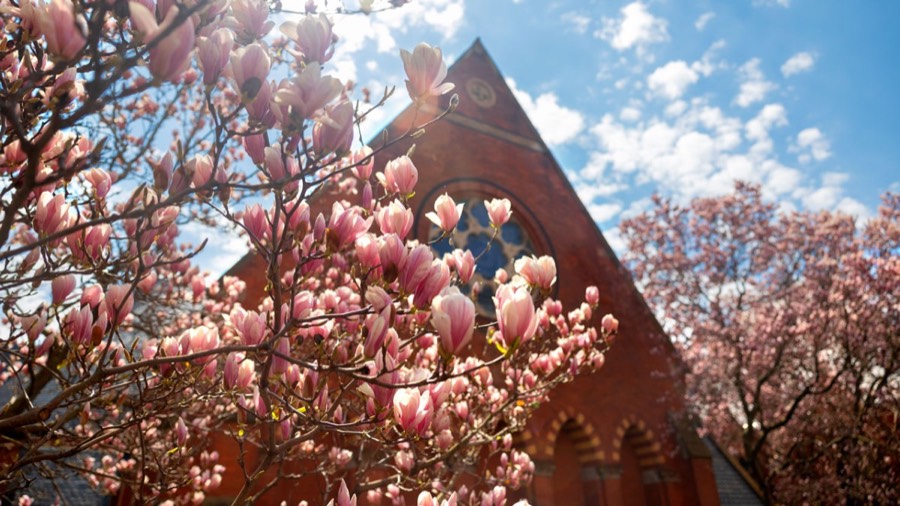
Image on the left
The default arrangement places the image first. Keep the text short enough that it does not run much taller than the image, or the two sides will look unbalanced on a wide screen.
Image on the right
Switch the media to the right from the block toolbar. Alternating sides down a page can help break up a long run of similar sections.

Images
Every image needs alternative text describing what it shows, unless it is purely decorative. Add it in the block sidebar under Settings. A caption is optional and appears below the image. Images at full width read best when they are at least 900 pixels wide.

Aligned image with wrapping text
An image aligned left or right lets body text wrap around it. This works best with a medium-sized image and at least a full paragraph of text, so the wrap has room to resolve. Undergraduates take a common first-year sequence before choosing a concentration, and most complete a research project in their final year working directly with a faculty adviser. Laboratory sections meet twice a week through the autumn term, and students are expected to keep a written record of their work throughout.
Cards
Cards present a set of linked items as a consistent grid or stack. Insert a Card Container block and add a Manual Card inside it for each item. The container controls the layout, the number of columns, whether headings sit over or beneath the image, and whether images zoom on hover. Each card carries its own title, subtitle, badge, summary, image and link, and every field except the title is optional.
Grid, three columns, heading beneath the image



Grid, three columns, heading overlaid on the image


Stacked
The stacked layout puts one card per row, which leaves more room for a longer summary.

Tables
The theme provides nine different styles for data tables with other options for header rows and mobile responsiveness.
Default
| Header | Header | Header | Header | Header | Header | Header | Header | Header |
|---|---|---|---|---|---|---|---|---|
| Cell | Cell | Cell | Cell | Cell | Cell | Cell | Cell | Cell |
| Cell | Cell | Cell | Cell | Cell | Cell | Cell | Cell | Cell |
| Cell | Cell | Cell | Cell | Cell | Cell | Cell | Cell | Cell |
| Cell | Cell | Cell | Cell | Cell | Cell | Cell | Cell | Cell |
| Cell | Cell | Cell | Cell | Cell | Cell | Cell | Cell | Cell |
| Cell | Cell | Cell | Cell | Cell | Cell | Cell | Cell | Cell |
| Cell | Cell | Cell | Cell | Cell | Cell | Cell | Cell | Cell |
| Cell | Cell | Cell | Cell | Cell | Cell | Cell | Cell | Cell |
| Cell | Cell | Cell | Cell | Cell | Cell | Cell | Cell | Cell |
Bordered
| Header | Header | Header | Header | Header | Header | Header | Header | Header |
|---|---|---|---|---|---|---|---|---|
| Cell | Cell | Cell | Cell | Cell | Cell | Cell | Cell | Cell |
| Cell | Cell | Cell | Cell | Cell | Cell | Cell | Cell | Cell |
| Cell | Cell | Cell | Cell | Cell | Cell | Cell | Cell | Cell |
| Cell | Cell | Cell | Cell | Cell | Cell | Cell | Cell | Cell |
| Cell | Cell | Cell | Cell | Cell | Cell | Cell | Cell | Cell |
| Cell | Cell | Cell | Cell | Cell | Cell | Cell | Cell | Cell |
| Cell | Cell | Cell | Cell | Cell | Cell | Cell | Cell | Cell |
| Cell | Cell | Cell | Cell | Cell | Cell | Cell | Cell | Cell |
| Cell | Cell | Cell | Cell | Cell | Cell | Cell | Cell | Cell |
Flat
| Header | Header | Header | Header | Header | Header | Header | Header | Header |
|---|---|---|---|---|---|---|---|---|
| Cell | Cell | Cell | Cell | Cell | Cell | Cell | Cell | Cell |
| Cell | Cell | Cell | Cell | Cell | Cell | Cell | Cell | Cell |
| Cell | Cell | Cell | Cell | Cell | Cell | Cell | Cell | Cell |
| Cell | Cell | Cell | Cell | Cell | Cell | Cell | Cell | Cell |
| Cell | Cell | Cell | Cell | Cell | Cell | Cell | Cell | Cell |
| Cell | Cell | Cell | Cell | Cell | Cell | Cell | Cell | Cell |
| Cell | Cell | Cell | Cell | Cell | Cell | Cell | Cell | Cell |
| Cell | Cell | Cell | Cell | Cell | Cell | Cell | Cell | Cell |
| Cell | Cell | Cell | Cell | Cell | Cell | Cell | Cell | Cell |
Striped
| Header | Header | Header | Header | Header | Header | Header | Header | Header |
|---|---|---|---|---|---|---|---|---|
| Cell | Cell | Cell | Cell | Cell | Cell | Cell | Cell | Cell |
| Cell | Cell | Cell | Cell | Cell | Cell | Cell | Cell | Cell |
| Cell | Cell | Cell | Cell | Cell | Cell | Cell | Cell | Cell |
| Cell | Cell | Cell | Cell | Cell | Cell | Cell | Cell | Cell |
| Cell | Cell | Cell | Cell | Cell | Cell | Cell | Cell | Cell |
| Cell | Cell | Cell | Cell | Cell | Cell | Cell | Cell | Cell |
| Cell | Cell | Cell | Cell | Cell | Cell | Cell | Cell | Cell |
| Cell | Cell | Cell | Cell | Cell | Cell | Cell | Cell | Cell |
| Cell | Cell | Cell | Cell | Cell | Cell | Cell | Cell | Cell |
Flat + Striped
| Header | Header | Header | Header | Header | Header | Header | Header | Header |
|---|---|---|---|---|---|---|---|---|
| Cell | Cell | Cell | Cell | Cell | Cell | Cell | Cell | Cell |
| Cell | Cell | Cell | Cell | Cell | Cell | Cell | Cell | Cell |
| Cell | Cell | Cell | Cell | Cell | Cell | Cell | Cell | Cell |
| Cell | Cell | Cell | Cell | Cell | Cell | Cell | Cell | Cell |
| Cell | Cell | Cell | Cell | Cell | Cell | Cell | Cell | Cell |
| Cell | Cell | Cell | Cell | Cell | Cell | Cell | Cell | Cell |
| Cell | Cell | Cell | Cell | Cell | Cell | Cell | Cell | Cell |
| Cell | Cell | Cell | Cell | Cell | Cell | Cell | Cell | Cell |
| Cell | Cell | Cell | Cell | Cell | Cell | Cell | Cell | Cell |
Colored
| Header | Header | Header | Header | Header | Header | Header | Header | Header |
|---|---|---|---|---|---|---|---|---|
| Cell | Cell | Cell | Cell | Cell | Cell | Cell | Cell | Cell |
| Cell | Cell | Cell | Cell | Cell | Cell | Cell | Cell | Cell |
| Cell | Cell | Cell | Cell | Cell | Cell | Cell | Cell | Cell |
| Cell | Cell | Cell | Cell | Cell | Cell | Cell | Cell | Cell |
| Cell | Cell | Cell | Cell | Cell | Cell | Cell | Cell | Cell |
| Cell | Cell | Cell | Cell | Cell | Cell | Cell | Cell | Cell |
| Cell | Cell | Cell | Cell | Cell | Cell | Cell | Cell | Cell |
| Cell | Cell | Cell | Cell | Cell | Cell | Cell | Cell | Cell |
| Cell | Cell | Cell | Cell | Cell | Cell | Cell | Cell | Cell |
Flat + Colored
| Header | Header | Header | Header | Header | Header | Header | Header | Header |
|---|---|---|---|---|---|---|---|---|
| Cell | Cell | Cell | Cell | Cell | Cell | Cell | Cell | Cell |
| Cell | Cell | Cell | Cell | Cell | Cell | Cell | Cell | Cell |
| Cell | Cell | Cell | Cell | Cell | Cell | Cell | Cell | Cell |
| Cell | Cell | Cell | Cell | Cell | Cell | Cell | Cell | Cell |
| Cell | Cell | Cell | Cell | Cell | Cell | Cell | Cell | Cell |
| Cell | Cell | Cell | Cell | Cell | Cell | Cell | Cell | Cell |
| Cell | Cell | Cell | Cell | Cell | Cell | Cell | Cell | Cell |
| Cell | Cell | Cell | Cell | Cell | Cell | Cell | Cell | Cell |
| Cell | Cell | Cell | Cell | Cell | Cell | Cell | Cell | Cell |
Rainbow
| Header | Header | Header | Header | Header | Header | Header | Header | Header |
|---|---|---|---|---|---|---|---|---|
| Cell | Cell | Cell | Cell | Cell | Cell | Cell | Cell | Cell |
| Cell | Cell | Cell | Cell | Cell | Cell | Cell | Cell | Cell |
| Cell | Cell | Cell | Cell | Cell | Cell | Cell | Cell | Cell |
| Cell | Cell | Cell | Cell | Cell | Cell | Cell | Cell | Cell |
| Cell | Cell | Cell | Cell | Cell | Cell | Cell | Cell | Cell |
| Cell | Cell | Cell | Cell | Cell | Cell | Cell | Cell | Cell |
| Cell | Cell | Cell | Cell | Cell | Cell | Cell | Cell | Cell |
| Cell | Cell | Cell | Cell | Cell | Cell | Cell | Cell | Cell |
| Cell | Cell | Cell | Cell | Cell | Cell | Cell | Cell | Cell |
Flat + Rainbow
| Header | Header | Header | Header | Header | Header | Header | Header | Header |
|---|---|---|---|---|---|---|---|---|
| Cell | Cell | Cell | Cell | Cell | Cell | Cell | Cell | Cell |
| Cell | Cell | Cell | Cell | Cell | Cell | Cell | Cell | Cell |
| Cell | Cell | Cell | Cell | Cell | Cell | Cell | Cell | Cell |
| Cell | Cell | Cell | Cell | Cell | Cell | Cell | Cell | Cell |
| Cell | Cell | Cell | Cell | Cell | Cell | Cell | Cell | Cell |
| Cell | Cell | Cell | Cell | Cell | Cell | Cell | Cell | Cell |
| Cell | Cell | Cell | Cell | Cell | Cell | Cell | Cell | Cell |
| Cell | Cell | Cell | Cell | Cell | Cell | Cell | Cell | Cell |
| Cell | Cell | Cell | Cell | Cell | Cell | Cell | Cell | Cell |
Flat + Rainbow w/Header Column
| Header | Header | Header | Header | Header | Header | Header | Header | Header |
|---|---|---|---|---|---|---|---|---|
| Header | Cell | Cell | Cell | Cell | Cell | Cell | Cell | Cell |
| Header | Cell | Cell | Cell | Cell | Cell | Cell | Cell | Cell |
| Header | Cell | Cell | Cell | Cell | Cell | Cell | Cell | Cell |
| Header | Cell | Cell | Cell | Cell | Cell | Cell | Cell | Cell |
| Header | Cell | Cell | Cell | Cell | Cell | Cell | Cell | Cell |
| Header | Cell | Cell | Cell | Cell | Cell | Cell | Cell | Cell |
| Header | Cell | Cell | Cell | Cell | Cell | Cell | Cell | Cell |
| Header | Cell | Cell | Cell | Cell | Cell | Cell | Cell | Cell |
| Header | Cell | Cell | Cell | Cell | Cell | Cell | Cell | Cell |